How to Prepare Canopy Tent Artwork
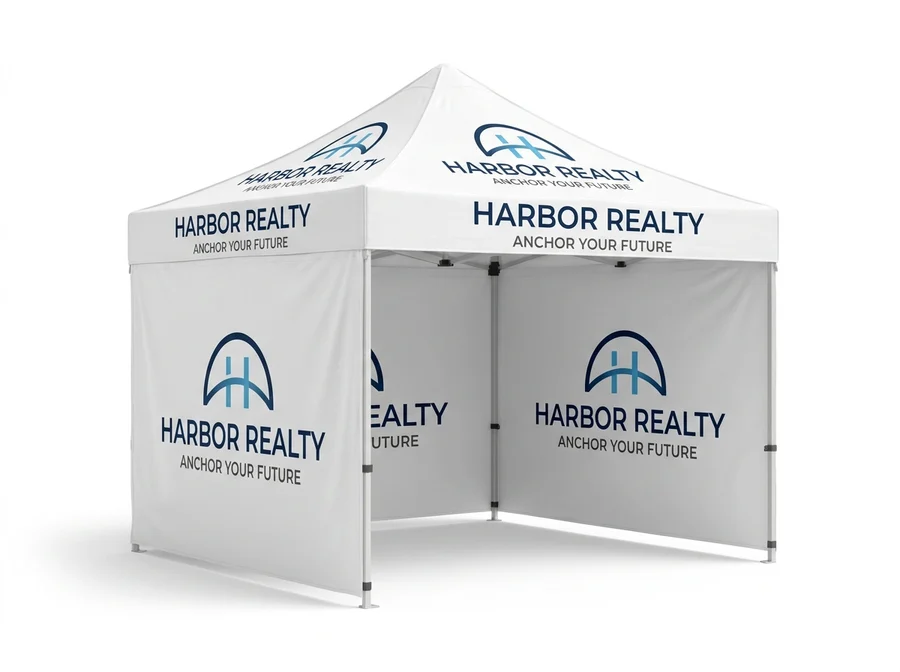
Short answer: Send vector art (PDF, AI or EPS) or the highest-resolution PNG/JPG you have, in full color and sized to the product, keeping important text away from seams and edges. Not print-ready? Add Apex's design service — and always check the free proof carefully before you approve it.
Dye sublimation prints edge to edge in full color, so a canopy is only as sharp as the file you send. A few minutes getting the artwork right saves a reprint — here's what matters.
Get the file format right
- Vector (best): print-ready PDF, AI or EPS. Vectors scale to tent size with zero loss — ideal for logos, text and solid shapes.
- Raster (works): high-resolution PNG or TIFF. Supply the largest, highest-quality version you have.
Resolution and scale
Because a canopy is large, low-resolution images look soft when blown up. Aim for at least 150 DPI at full size for raster art. If you only have a small logo, send the vector — never upscale a tiny JPG and hope.
Color
Design in CMYK where you can, so on-screen color matches the print. Dye sublimation reproduces solid brand colors, gradients, photos and full-bleed backgrounds well. If exact brand-color matching matters, tell us in your order notes and we'll confirm it on the proof.
Bleed, safe zones and seams
- Extend backgrounds to full bleed — past the trim edge — so there are no white slivers.
- Keep logos and key text centered and away from edges and seams.
- Remember the valance (the hanging skirt) is prime eye-level space — put your business name or tagline there.
Where you can print
A canopy has several printable surfaces — the top (peak panels), the valance, and full or half walls, each its own surface. Decide how much to print before you design; see print coverage explained.
Common mistakes to avoid
- Low-resolution logos pulled from a website.
- Text too close to seams or the valance fold.
- RGB files with neon colors that can't be printed exactly.
- Busy backgrounds that bury the logo from a distance — high contrast reads across a lot.
No print-ready file? Two options
- Upload what you have — we review it and flag any issues on the free proof.
- Add our design service (+$35) — our team builds the artwork from your logo and direction.
Either way, nothing prints until you approve the proof.
Frequently asked questions
What file format is best? Vector (PDF/AI/EPS). High-resolution PNG/TIFF also works.
Will my colors print exactly? Close — design in CMYK and flag critical brand colors in your notes; we confirm on the proof.
What if I don't have a designer? Add the $35 design service and we'll create the artwork for you.
Configure your canopy and upload artwork → or read print coverage explained.
Frequently asked questions
What file format should I send?
A vector file (PDF, AI, EPS) is ideal because it scales without losing sharpness. High-resolution raster files work too, provided the resolution holds up at the finished print size.
What if I do not have a print-ready file?
Send what you have. Every order includes a free artwork proof, and our team will tell you before anything prints whether the file will hold up at full size or needs rework.
Why do logos need to stay away from the edges?
Because the fabric wraps the frame and seams fall in predictable places. Keeping logos and text inside the safe zone stops them being distorted at a fold or cut off at a seam.
Will the colours match my other printed material?
Dye sublimation is consistent between runs, but fabric and vinyl reproduce colour differently by nature. If exact matching matters, order your booth pieces together and check them on the same proof.